See How Expertise Flows
From real-time collaboration to lasting, searchable knowledge.
Communicate
AssistChatSee & Solve
AssistViewDocument
E-ReportsFind Answers
WiseSpaceCommunicate
AssistChatSee & Solve
AssistViewDocument
E-ReportsFind Answers
WiseSpaceConversations that solve real problems
Experts, teams, and customers connect through fast, familiar messaging. Every conversation becomes part of your knowledge base automatically.
Session-based Chats
Each conversation lives in its own session, tied to the customer and the expertise area. History never disappears. Pick up any session months later and everything is exactly where you left it.
▶ Click Start on the demo to see it in action
Inbox
Smart Routing
Customers select an expertise area. The right expert is assigned automatically. No waiting, no wrong department.
Team Channels (Group Chat)
Cross-team collaboration across engineering, service, operations, and sales.
Voice Notes
Richer understanding when typing isn't enough.
Controlled Access
Invite customers, partners, or field teams into your platform. They get support access. You keep full control.
Transcripts
Every chat session is saved, searchable and auditable.
Instant AssistView
Launch live video guidance with one tap.
See the problem. Guide the solution.
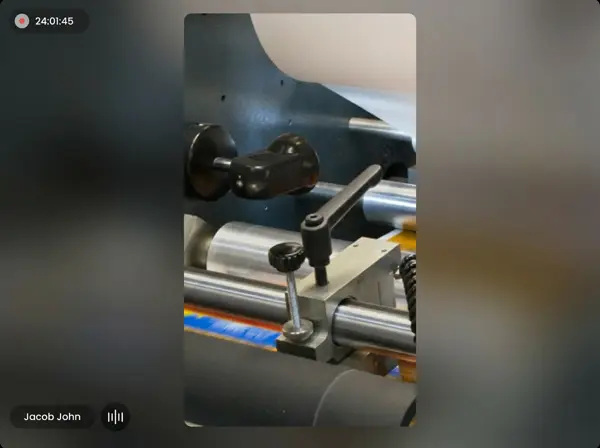
When words aren't enough, experts see exactly what the technician sees and guide them in real time. No travel. No guesswork. Full documentation of everything that happens.
Live Annotations & Pointer
Pause the video and draw directly on the screen — circles, arrows, text. Or use the live pointer to guide without freezing the feed. Precision guidance that feels like standing right beside you.

Ricardo Mendes
Bonforno
I can see the dancer arm — point me to where it's off-center
Right here, see where I'm pointing? The pivot is shifted left
Got it. Let me draw where the correct alignment should be
See my annotation? The bracket needs to sit flush with that line
That's clear now — I'll loosen the bolts and realign
One-Way Video
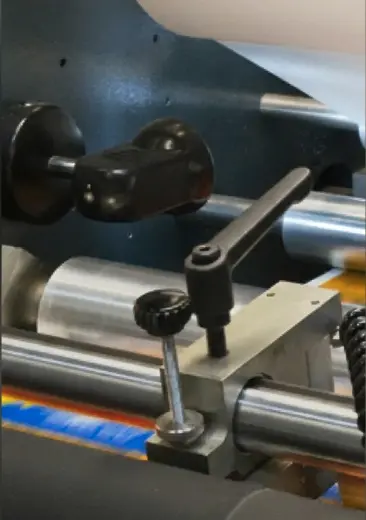
The technician shares their camera. The expert sees exactly what they see. Focused, efficient, low bandwidth.
Screen Sharing
View documents, diagrams, or files together during a live session.
In-Session Chat
Noisy environment? Share links, notes, and files without relying on audio.
Screenshots
Capture key moments from the live feed. Automatically saved for reports and knowledge.
Recording
Full or partial session capture for training, compliance, and future reference.
Instant Video from Chat
No scheduling needed. Launch a video session directly from any AssistChat conversation with one tap.
The session ends. The report is already done.
Every remote session generates structured documentation in a click. Field visits use standardized digital forms. Zero extra work. Everything shareable, everything searchable, everything preserved.
AutoFill Reports
Pre-filled from session data: timestamps, participants, screenshots, chat transcripts, even annotations from AssistView. What used to take 30 minutes now takes 3.

Company Name
Your company name & logo
Address
Your business address
City
Los Angeles
State
CA
Country
🇺🇸 United States
your@company.com
Phone
+1 999-9999999
Packaging Machine — Service Report
Client Details
Company
Bonforno Bakery Ltd.
ops@bonforno.com
Phone
+1 813-555-0142
Address
2400 Industrial Blvd
City
São Paulo
State
SP
Expertise Details
Expertise
Packaging Machines
Sub Expertise
N/A
Photos
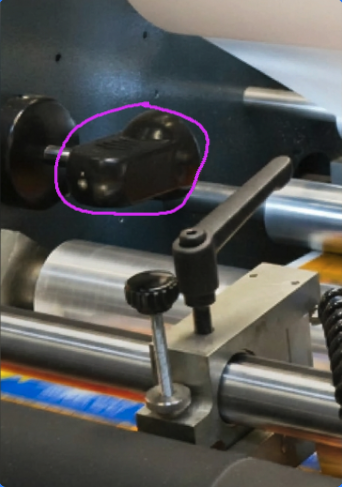
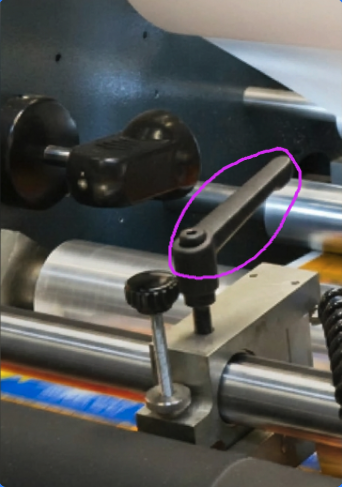
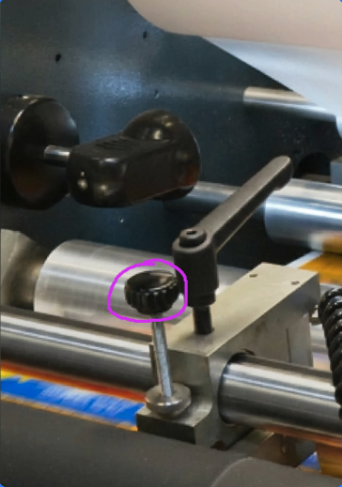
Procedure 1 — Clamp inspection
Procedure 2 — Lever alignment
Procedure 3 — Gear check
Notes
Customer Call Reason
Customer reported that the packaging machine was jamming intermittently during the sealing cycle, causing production downtime and inconsistent package quality.
Root Cause Identified
Upon inspection, the issue was not the sealing unit as the customer suspected, but a worn clamping lever causing misalignment in the film feed mechanism, leading to irregular tension and jamming.
Solution Provided
Replaced the worn clamping lever and recalibrated the film tension assembly. Ran 200+ test cycles with zero jams. Recommended preventive replacement of the lever every 12 months.
Session Details
Date
26 Feb 2026
Duration
1h 40min
Start Time
10:23 am
End Time
12:03 pm
Signatures
Expert
✎ expert name
Recipient
✎ recipient name
Attachments
transcript-chat-session.txt
Auto-generated from AssistChat
service-video-recording.mp4
Full session video recording
recommended-parts-list.pdf
Suggested replacement parts & schedule
Custom Templates
Standardized forms by product, service type, or customer. Your team documents consistently every time.
Field Service Forms
Digital forms with embedded photos, videos, and technical data. Built for on-site visits.
Visual Evidence
Screenshots and session photos embedded automatically. No manual attachments, no forgotten context.
Instant Sharing
Send completed reports to clients or transfer to internal teams with one tap.
File Attachments
Add videos, quotes, parts lists, certificates — everything the report needs in one place.
Branded Reports
Your logo, your colors, your format. Reports that look like they came from your company, not a software tool.
Your documents don't just get stored. They get understood.
Upload any technical document. The KEEP engine reads every page, extracts what matters, and preserves it as searchable, accessible knowledge.
KEEP — Knowledge, Extracted, Embedded, and Preserved.
See how a real technical document becomes connected intelligence in five stages.
|
|
Ask anything. Get answers with exact sources you can verify.
Trusted Answers, Not AI Guesses
Every response is grounded in your actual documents and sessions. Built-in guardrails prevent hallucination — if the system can't verify it, it won't say it.
Citations on Every Answer
Every answer links back to its source. The exact page, table, or session. Your team can verify it in one click. The trust your operations depend on, built right in.
Hybrid Retrieval
Semantic understanding meets keyword precision. The system doesn't just match words. It understands meaning. And when exact values matter, it finds those too.
Cross-Document Intelligence
Related concepts are connected across your entire library automatically. Upload ten manuals and the system finds relationships you didn't know existed.
Confidence Scoring
Every answer includes a confidence level. Your team knows when the system is certain and when they should double-check. Transparency built into every response.
Private & Secure by Design
Your data stays yours. BYOK architecture means your knowledge is never used to train external models. Full ownership. Full control.
Built for real-world conditions.
Performance, security, and control designed for technical environments.
Performance
Security
Control
From the knowledge base

AI Is Only Intelligent When Humans Give It Context
A perspective from an AI on why every conversation about "AI replacing experts" is missing the point.

Industrial Experts Are Stuck Using Office Tools That Don't Solve Their Problems
The category gap nobody has filled — and what it would take to actually fill it.

Talk. Fix. Learn. Repeat. Every lesson stays.
Join the Experts Club today.
Experts Club: Founding member pricing — up to 50% off for life